v1.0.2 Free for Windows 10 & 11

Write it like the exam. Run it like code.

A pseudocode editor for Cambridge O Level 2210 and IGCSE 0478 Computer Science. Write it the way the paper wants, then actually run it.

  • Free, no account
  • No admin password
  • Works offline
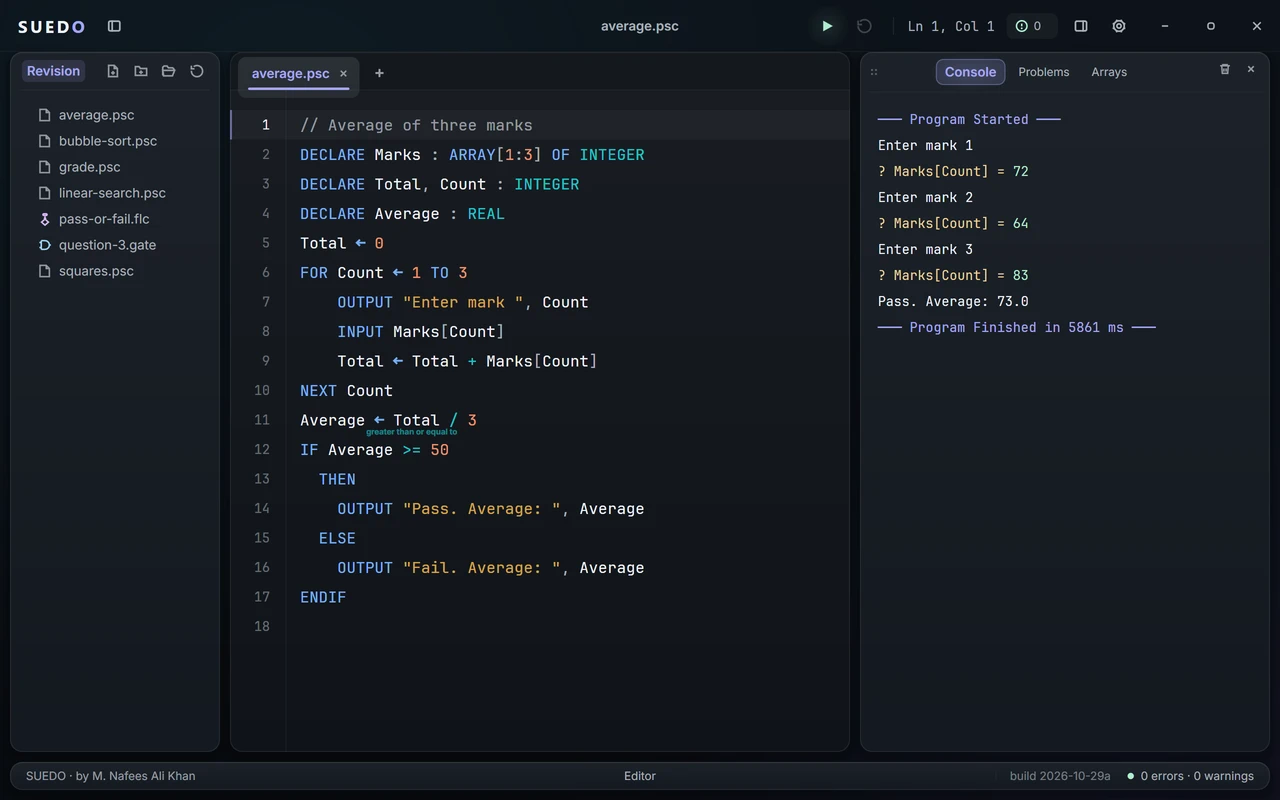
SUEDO running a program that averages three marks: the code on the left, the console on the right showing the marks typed in and Pass. Average: 73.0
01 · Checking

Mistakes show up as you type.

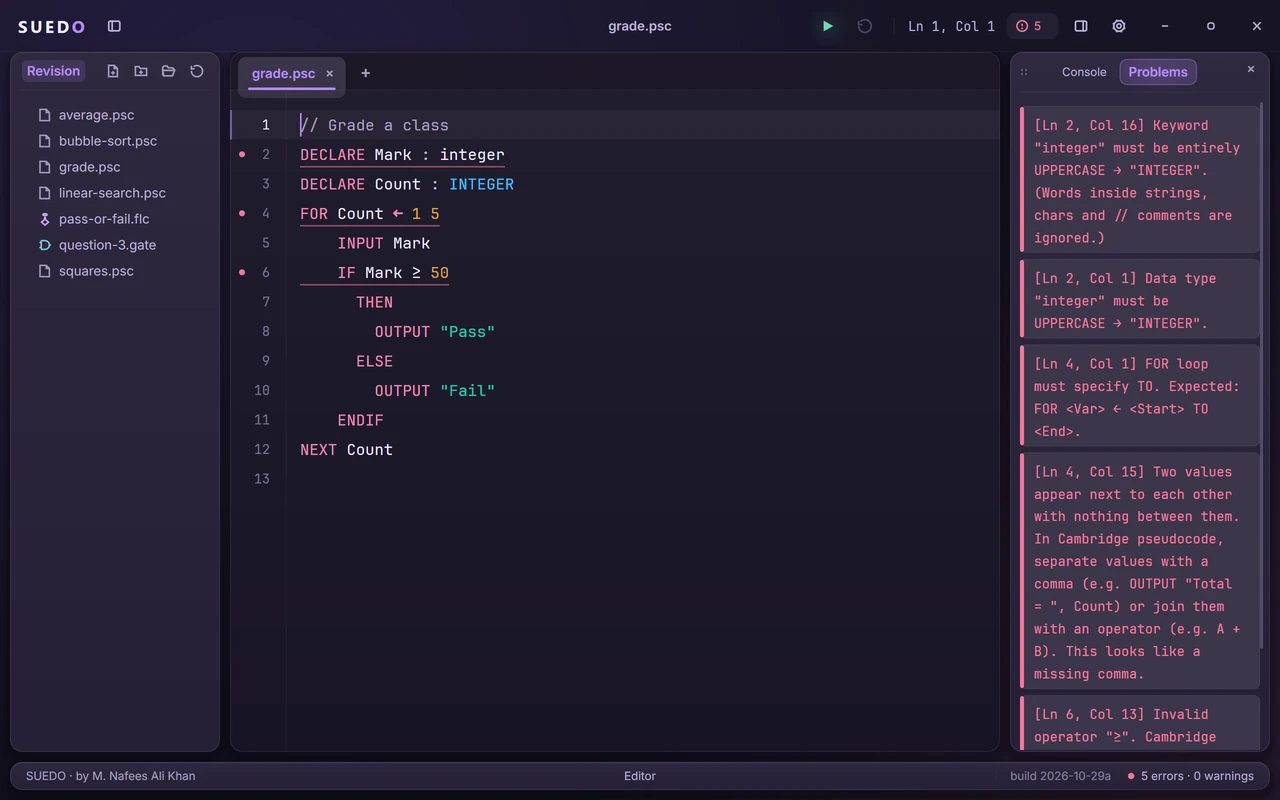
Every line is checked against the 2026–2028 syllabus. Instead of “syntax error”, you get what the paper expects, like INTEGER in capitals or >= instead of ≥.

A program with five mistakes underlined in the editor, and the Problems panel explaining each one
Dusk theme
02 · Run & debug

Run it. Then go one line at a time.

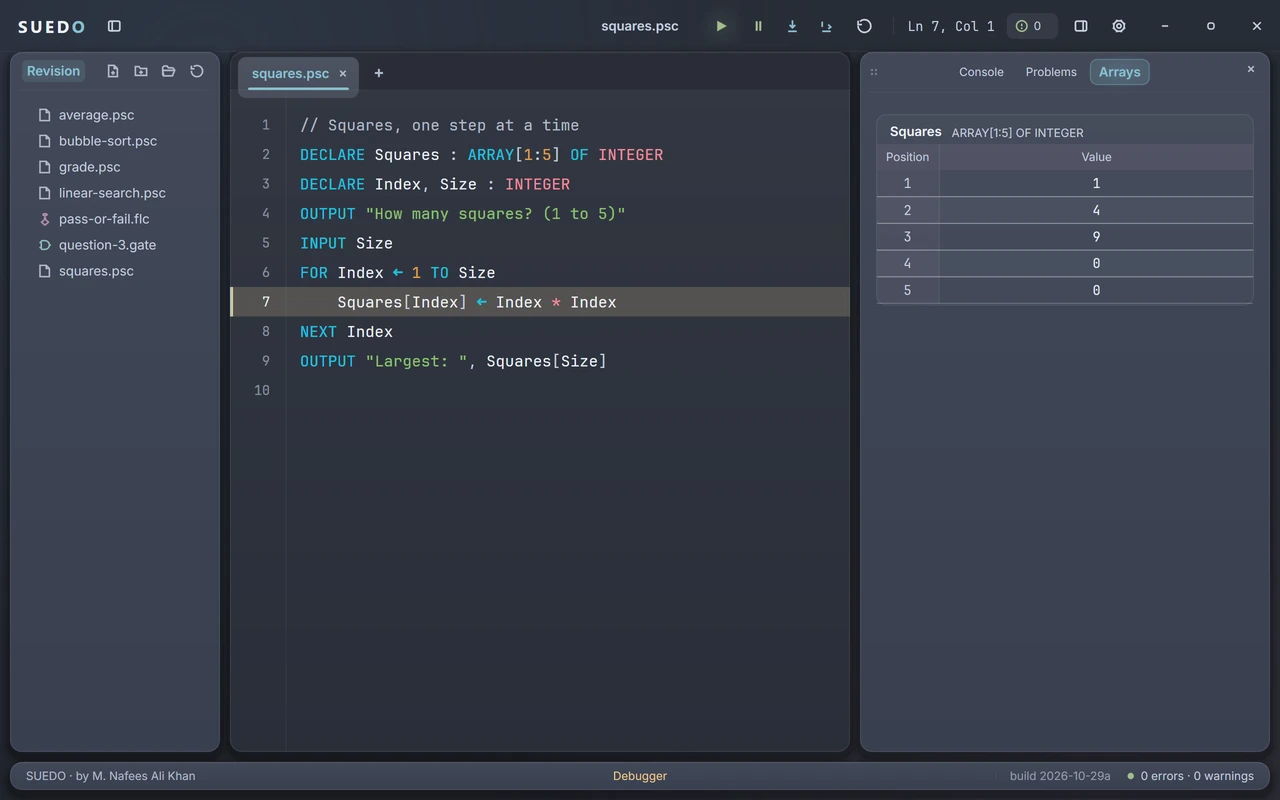
INPUT, arrays, procedures, functions and files all run. Pause anywhere, step through, and watch your arrays fill in. A trace table that fills itself.

The debugger paused on line 7 of a loop, with the Arrays panel showing Squares holding 1, 4 and 9 so far
Nord theme
03 · Logic gates

Circuits and truth tables, marked.

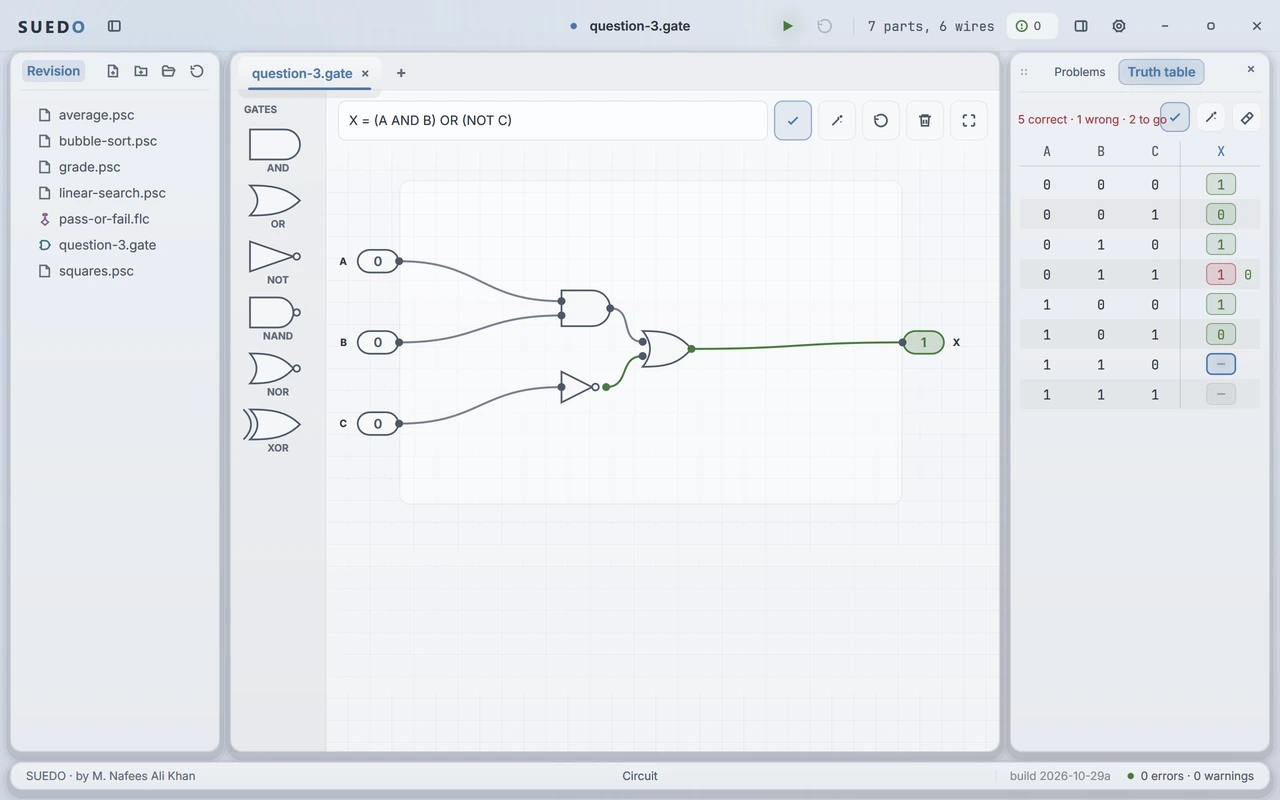
Type a question like X = (A AND B) OR (NOT C), build the circuit and fill in the table. Wrong rows get the right answer printed next to them.

A logic circuit for X = (A AND B) OR (NOT C) marked correct, beside a truth table with five right answers and one wrong
Frost theme
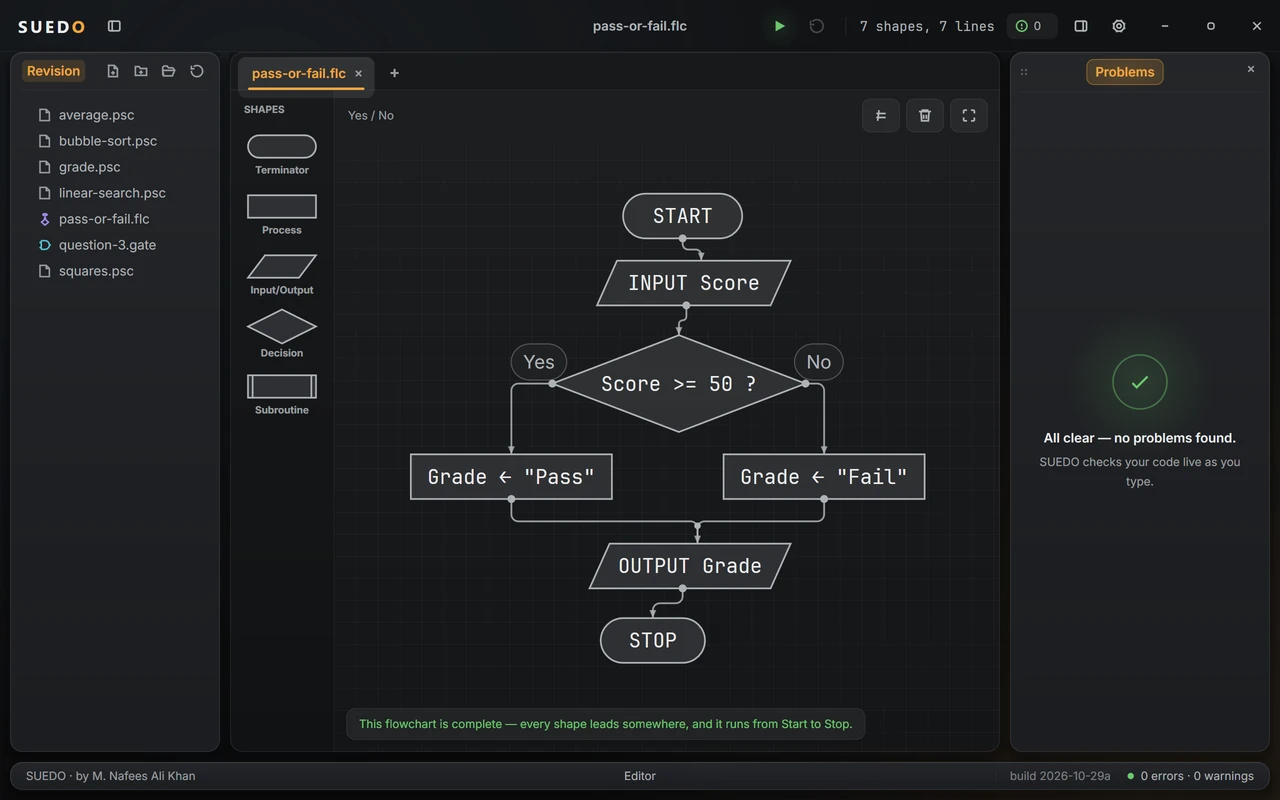
04 · Flowcharts

Flowcharts with the syllabus symbols.

Just the six shapes Cambridge uses, so you can’t draw one that costs marks. Decisions get Yes and No labels you can flip with a click.

A pass-or-fail flowchart: START, INPUT Score, a decision Score >= 50, two process boxes, OUTPUT Grade and STOP
Slate theme
05 · Themes

Pick a look you like.

Light or dark, the whole app follows, down to the icon on your taskbar. Click one to see it.

SUEDO in the Midnight theme
The maker

Pseudocode is only hard because you can’t run it.

I made SUEDO while studying O Level Computer Science. Cambridge pseudocode has no official way to run it, so you end up tracing every program in your head. Now you can just press run.

M. Nafees Ali Khan’s monogram
M. Nafees Ali Khan Designed and built SUEDO
SUEDO app icon

Download SUEDO

Version 1.0.2 for Windows 10 and 11 (64-bit). Free.

If Windows says “Windows protected your PC”, click More info, then Run anyway. SUEDO isn’t code-signed yet, so Windows doesn’t recognise it. It installs into your own account, so no admin password is needed.

FAQ

Questions

Is it free?

Yes. No account, no sign-in, no ads.

Is this made by Cambridge?

No. It’s an independent project and isn’t affiliated with Cambridge University Press & Assessment. It follows the published 2026–2028 syllabus as closely as it can.

Does it work on a Mac or a Chromebook?

Not yet. It’s Windows 10 and 11 only for now.

Does it need the internet?

No. Everything works offline. When you are online it checks this site for a newer version (you can turn that off in Settings), and sends a review only if you write one. Your code never leaves your PC.

SUEDO rejects something my teacher accepts. Who’s right?

SUEDO is strict on purpose and only accepts what the syllabus uses. If you think it has a rule wrong, tell me and I’ll look at it.

Contact

Get in touch

Found a bug, or a rule SUEDO gets wrong? Want something added? Send it here. I read every message.

Rating (optional)
Ctrl + Enter also sends